Home Smart Hardware

Fall Detection Sensor

A 60GHz mmWave radar for bathrooms, bedrooms and corridors. Residents do not need to wear it, press anything or cooperate: a fall is reported immediately. No images are captured, so it can be installed in private spaces.

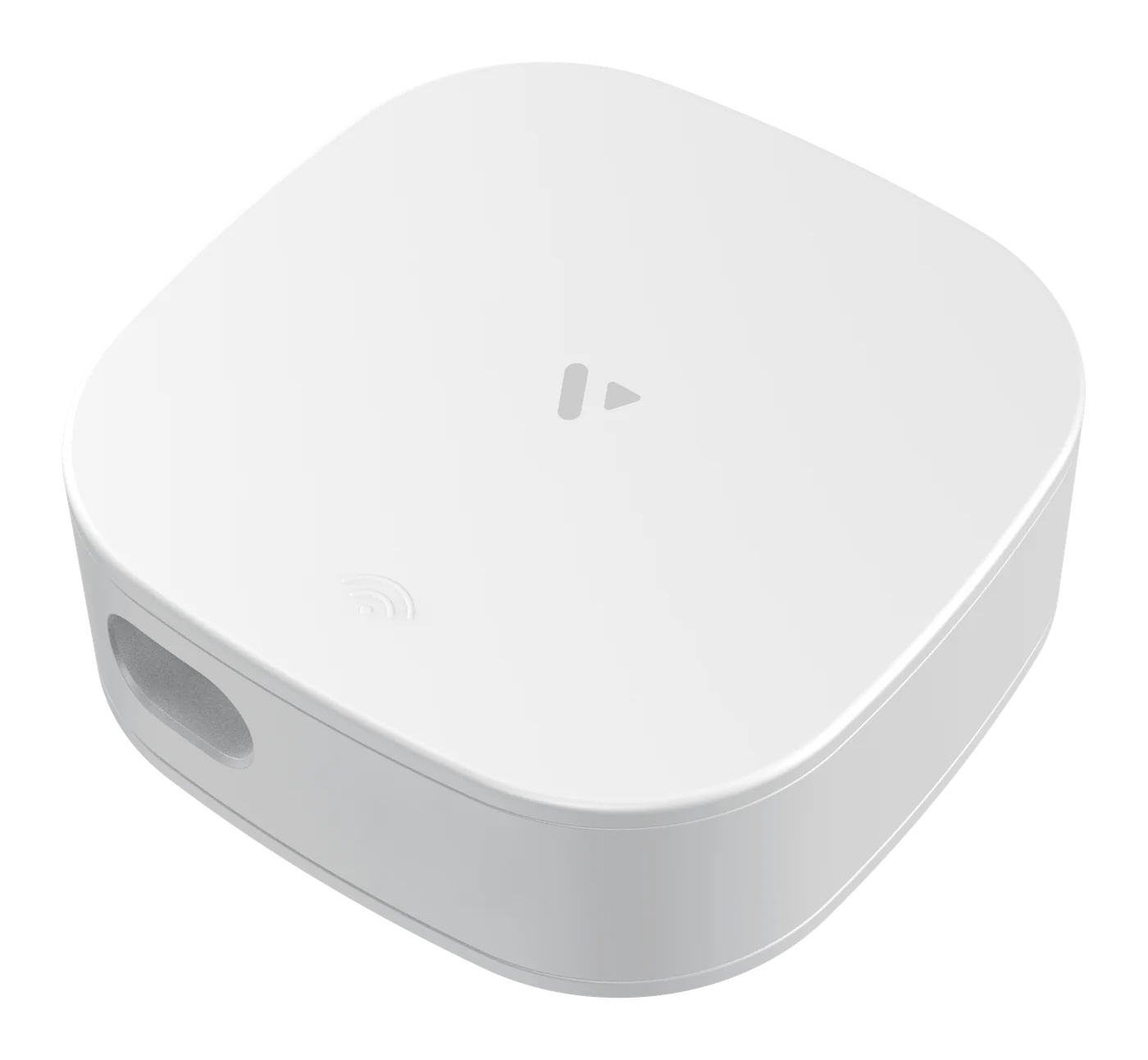
Fall Detection Sensor FD60A1 exterior
Coverage illustration: inner circle ceiling mount Φ<3 m, outer circle side mount Φ<5 m

Model FD60A1 series · Ceiling / side mount × WiFi / 4G

  • ≥ 90% Fall detection accuracy
  • ≥ 95% Stationary presence accuracy
  • 0.5 s Vacant → occupied switch
  • 5–180 s Adjustable fall report time

61–62.5GHz FMCW radar · 68 × 68 × 32 mm · Indicator light on the underside of the body

Sensing capabilities

One radar, four jobs at once

Fall, stationary presence, presence and motion are four different detection logics. The FD60A1 runs them in parallel on a single device, so you do not need two kinds of sensors in one room.

Fall detection

Detection range ≤ 1.5 m · Accuracy ≥ 90%

Recognizes falls within the radar's projected radius. After a fall is detected, the radar keeps verifying for a period before reporting, so a brief movement is not mistaken for a fall. The verification time is adjustable from 5 to 180 seconds: under 10 seconds for live demos, 60 seconds or more recommended for real projects.

Stationary presence detection

Accuracy ≥ 95% · Default trigger 300 s

Raises an alarm when no activity is detected for a long time. The default trigger is 300 seconds; 30 minutes or more is recommended for real projects. In spaces such as bathrooms and bedrooms, a long period without movement is a signal in itself.

Presence sensing

Vacant → occupied in 0.5 s

Switches from vacant to occupied in 0.5 seconds (occupied to vacant takes 60 seconds). It can trigger lighting, ventilation and other devices, so you do not need to install a separate presence sensor.

Motion detection

Motion trigger range ≤ 2 m

Senses movement direction and position, showing how a resident moves around the area. This is more detailed than simply knowing whether someone is there.

In the app

What the radar sees, family members can see on their phones

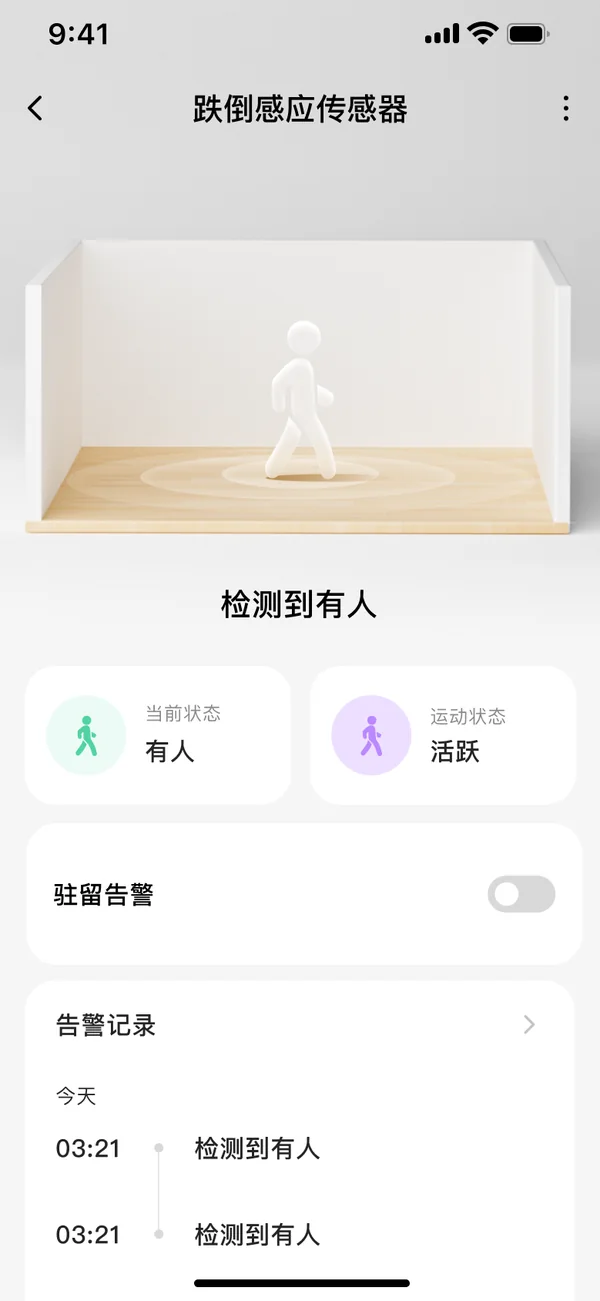
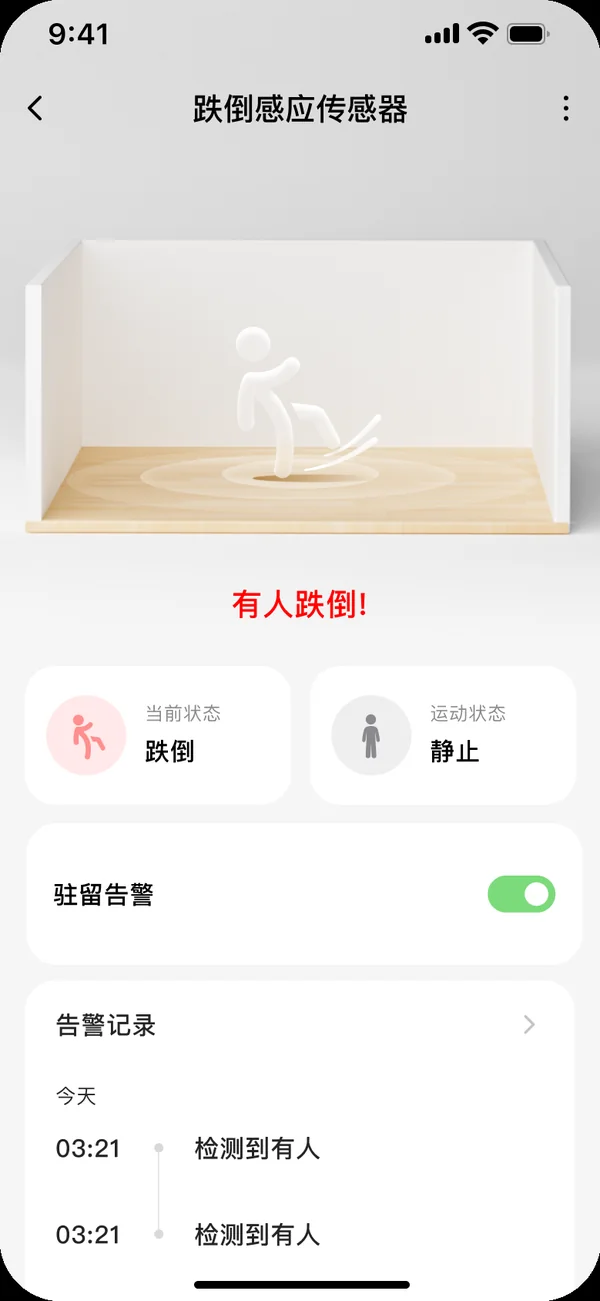
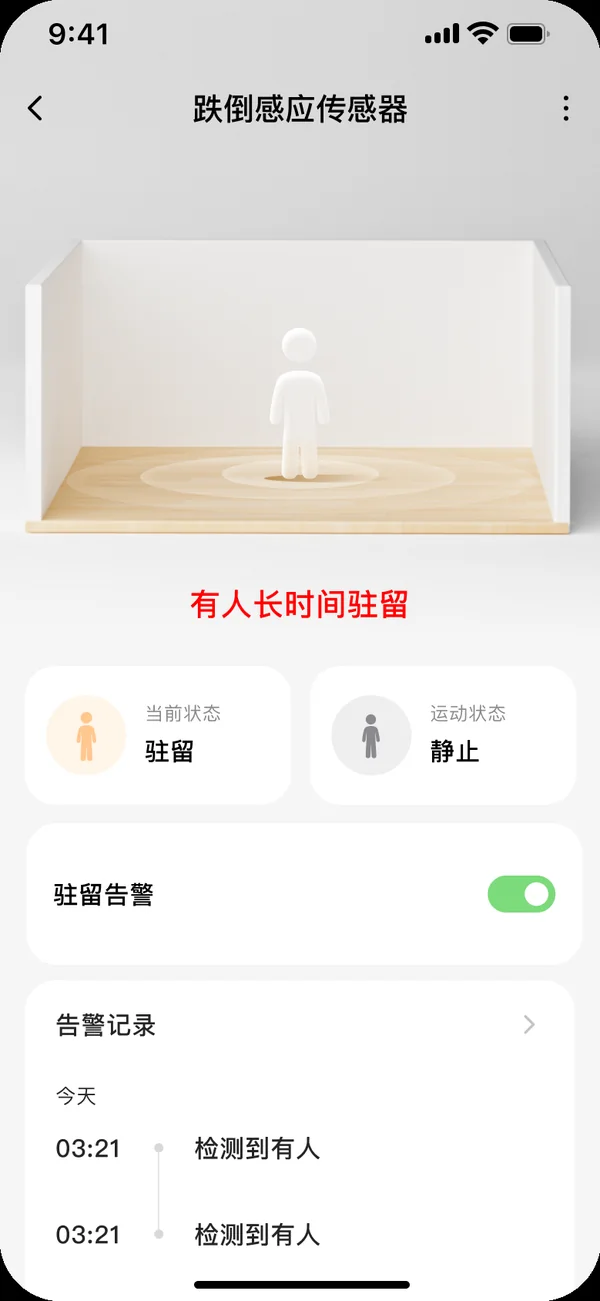
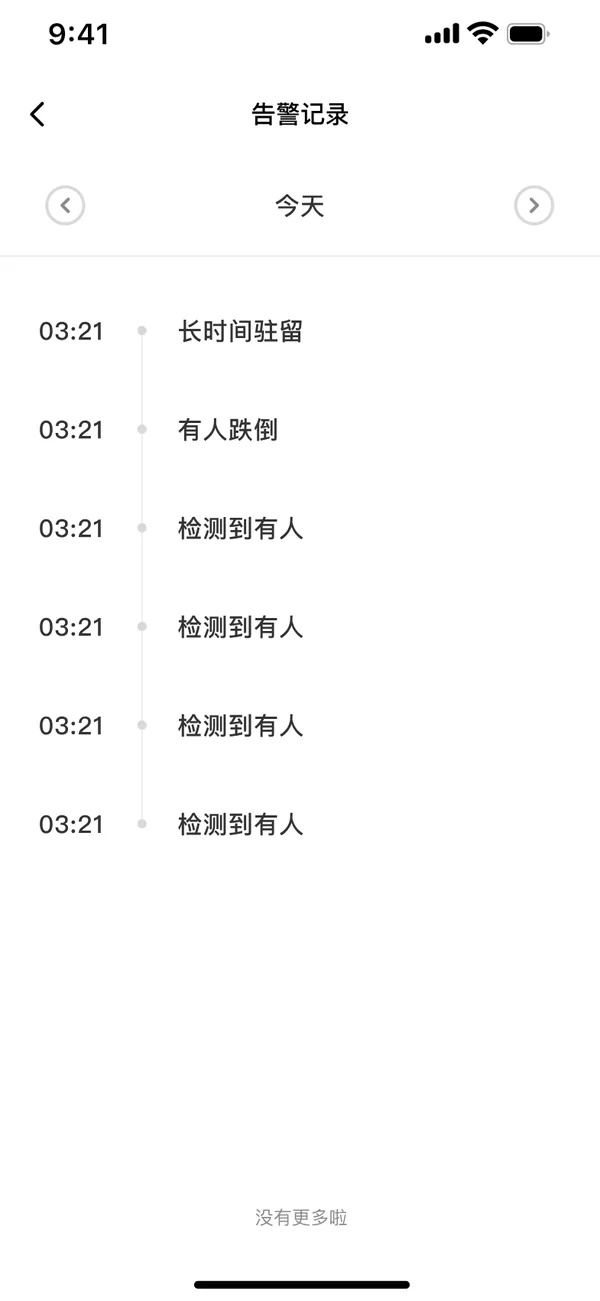
The device connects to the Xiaowei IoT App (Smart IoT App in the white-label version). Status, alarms and settings are all on this device page.

Real-time room status: app screen
Fall alarm: app screen
Prolonged-stay alarm: app screen
Alarm log: app screen
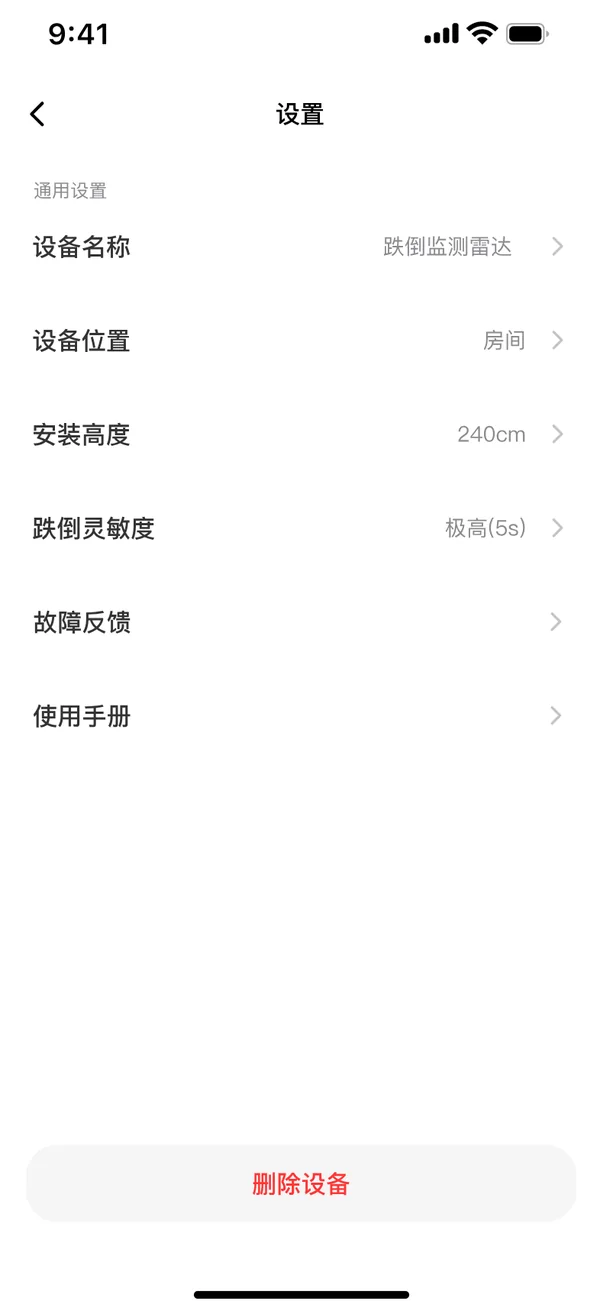
Device settings: app screen

More details

Easy to install, easy to conceal

Installation form, privacy boundaries and connectivity decide whether a device like this can be deployed in a project.

Form and installation

  • 3D fan-shaped coverage: 100° horizontal × 100° vertical. One unit covers an entire bathroom
  • Ceiling mount: facing straight down, installation height 1.7–3.3 m, coverage Φ<3 m
  • Side mount: tilted down 30°, installation height about 1.8 m, coverage Φ<5 m
  • USB 5V / 1A power supply, average power consumption ≤ 900 mW

Privacy and model selection

  • Detects people only: uses biological characteristics to filter out inanimate objects, unaffected by temperature, light or dust
  • No images captured: mmWave senses a person without filming them, so bedrooms and bathrooms raise no privacy concerns
  • WiFi or 4G version, chosen to suit the site's network conditions
  • Both verified on the Xiaowei IoT Cloud Platform, with OTA remote upgrade supported
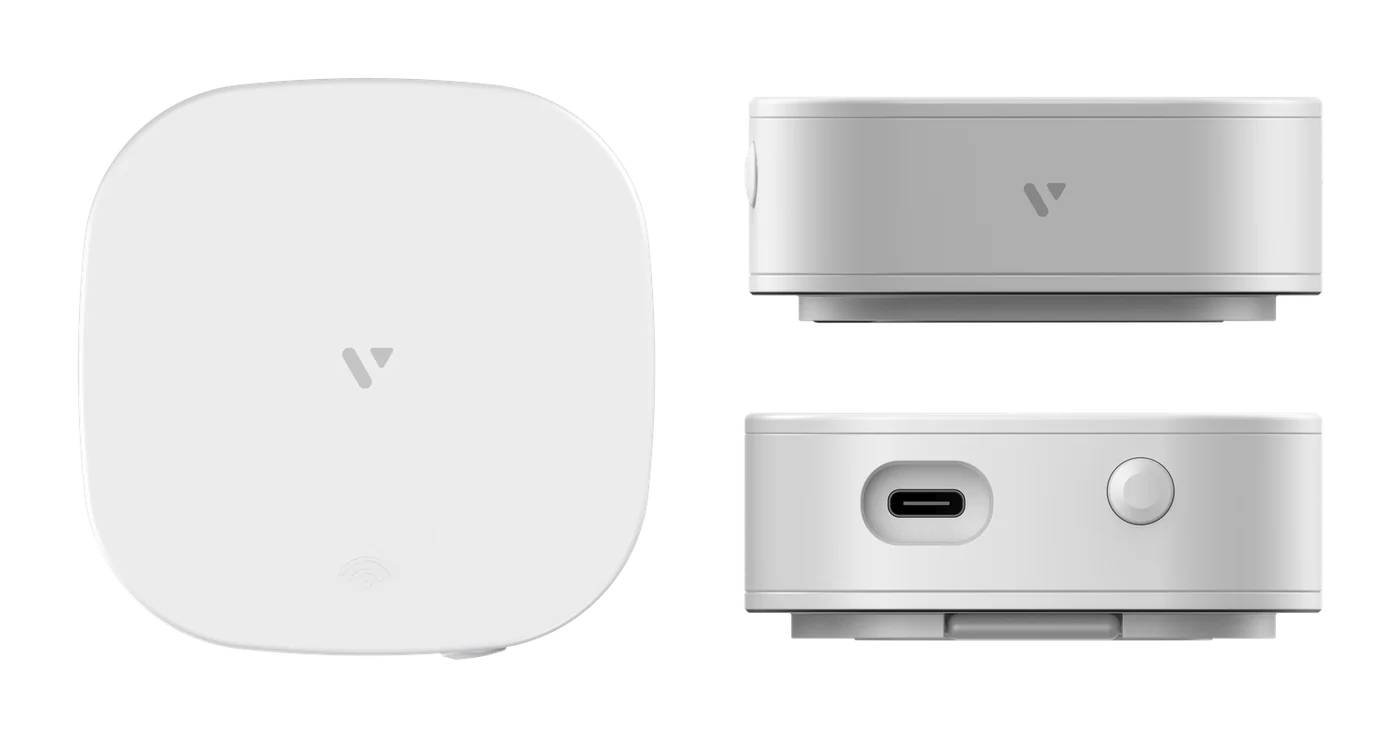
Fall Detection Sensor front, side and bottom ports
Front / side / bottom: USB 5V power. A flashing red light means network pairing; steady means normal operation

Why choose it

Three words: accurate, stable, discreet

  • Accurate

    Fall detection ≥90%, stationary presence ≥95%. The report time is adjustable from 5 to 180 seconds, so you can balance false alarms against missed alarms on site.

  • Easy to install

    mmWave passes through clothing, curtains, thin wooden boards and glass. Ceiling-mount and side-mount versions are available, so renovation is not needed just to line up the radar.

  • Privacy-safe

    It senses people without capturing images. Barrier-free care becomes possible in bedrooms, bathrooms and showers, where cameras cannot go, and residents accept it far more readily.

Specifications

Full specifications

The parameters below come from the product manual and the core technical documents. Ceiling or side mount is the installation form, and WiFi or 4G is the connectivity. Together they make 4 versions, selectable to suit site conditions.

RF and sensing

Operating frequency 61–62.5 GHz (FMCW)
Antennas 1T3R (1 transmit, 3 receive)
Transmit power ≤ 8 dBm (low power, harmless to humans)
Field of view 100° horizontal × 100° vertical (3D fan shape)
Sensing target People with biological characteristics (moving or still); inanimate objects are filtered out
Environmental tolerance Unaffected by temperature, light or dust

Electrical and power

Power supply USB 5V / 1A
Average operating current ≤ 190 mA
Average power consumption ≤ 900 mW

Environment and form

Operating temperature -10 ~ +50 ℃
Operating humidity 20% ~ 85% (non-condensing)
Storage temperature -40 ~ +105 ℃
Dimensions 68 × 68 × 32 mm

Communication and connectivity

Connectivity WiFi (2.4G) / 4G with all major Chinese carriers, choose one
Network pairing Bluetooth pairing after power-on; Bluetooth turns off automatically once paired
Remote upgrade OTA supported
Platform access Xiaowei IoT Cloud Platform (Xiaowei IoT App)

Selection and deployment

Ceiling mount Facing straight down, installation height 1.7–3.3 m, coverage Φ<3 m
Side mount Tilted down 30°, installation height about 1.8 m, coverage Φ<5 m
Vacant → occupied 0.5 s
Occupied → vacant 60 s
Fall report Default 30 s, adjustable 5–180 s
Stationary presence report Default 300 s, ≥30 minutes recommended for projects

Applicable scenarios

Applicable spaces Small areas such as bathrooms, toilets, kitchens and bedrooms
Applicable users Single-occupant living or single-person care scenarios
Typical deployments Zhengyuan Elderly Care Service Center, Zhengfang Heyuan (fall monitoring in bathrooms and bedrooms)
Not suitable for Hospital wards or public restrooms with several people present

Parameters are taken from the product manual and the core technical documents. If they differ from the markings on the unit, the manual prevails.

Before you choose

What to know before installing

These are the restrictions stated in the manual. It is cheaper to explain them up front than to rework an installation.

Single occupant only

The radar is modeled for a single target. Hospital wards or public restrooms with several people present can cause misjudgments, so use another sensing approach in those scenarios.

Moving metal and liquids cause false alarms

Moving metal, liquids and electric fans, as well as pets or metal curtains right next to the radar, can all trigger misjudgments. Avoid them when placing the unit.

Do not point at an air conditioner

The motor inside an air conditioner interferes with the radar's judgment. Do not aim the radar at the air outlet or install it facing the same direction as the air conditioner.

Penetrates obstructions, but the angle must be set on site

Clothing, curtains, thin wooden boards and glass can all be penetrated. The exact installation angle and scan range must be determined for the room layout.

Needs a short start-up time after power-on

Human signals are very low-frequency and weakly reflected. After power-on, the radar resets its internal circuits and self-learns the environmental noise, which takes a short warm-up.

Interfering movements must be filtered per scenario

Regular movements such as large curtain swings or opening and closing doors should be masked through placement and platform rule configuration.

Need model selection or a project quote?

Tell us your scenario and the number of points. We will provide an installation plan, model selection and a quote.